
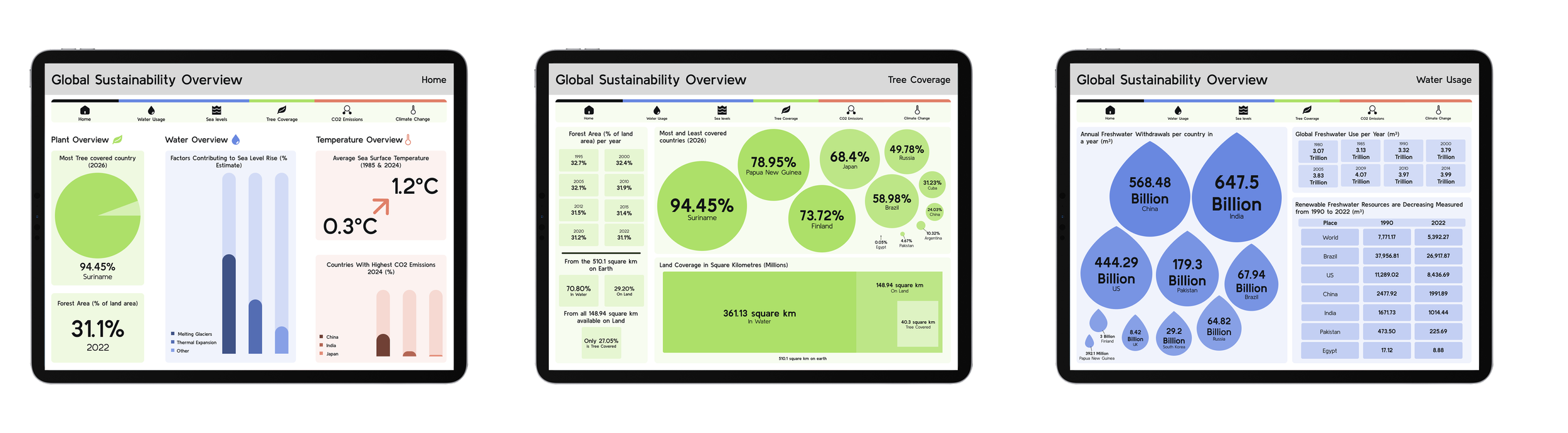
Dashboard Project
Initial Ideas
For this project it was quite easy to come up with my initial idea as the brief included 5 different topics that the dashboard could focus on. I chose to focus on creating a dashboard around different aspects affecting sustainability as I thought there would be more interesting and appealing ways to display data around this.
Researching & Planning
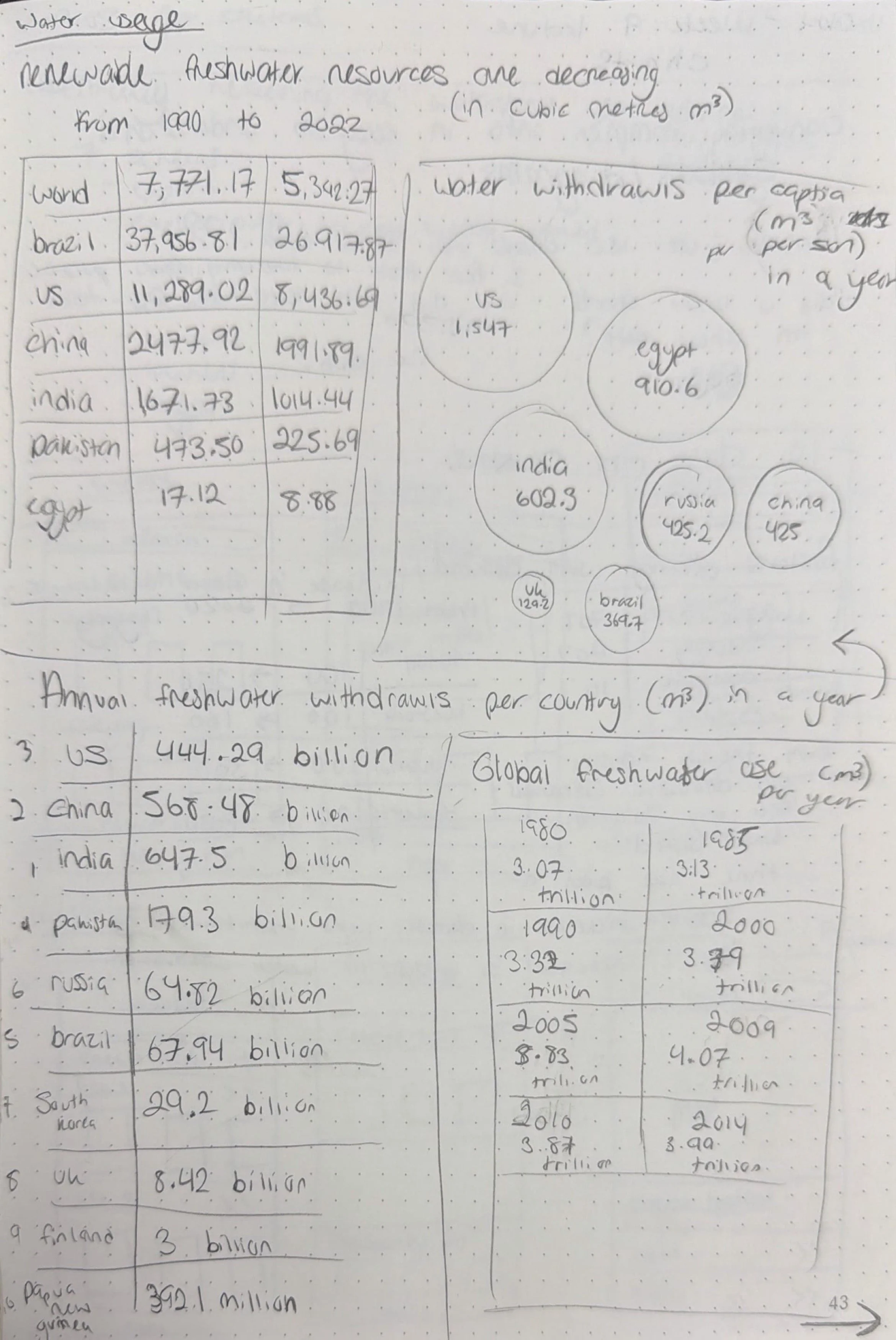
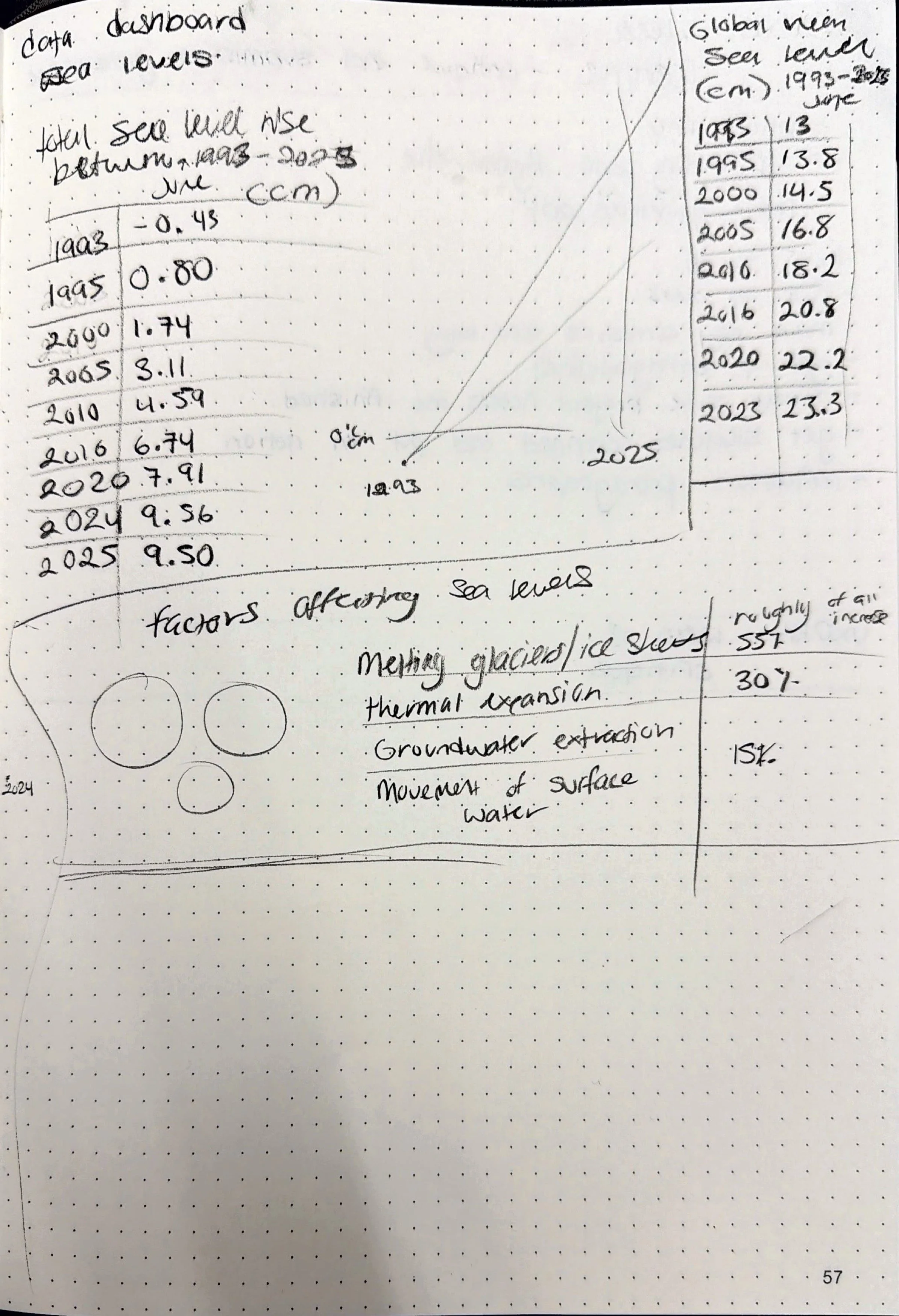
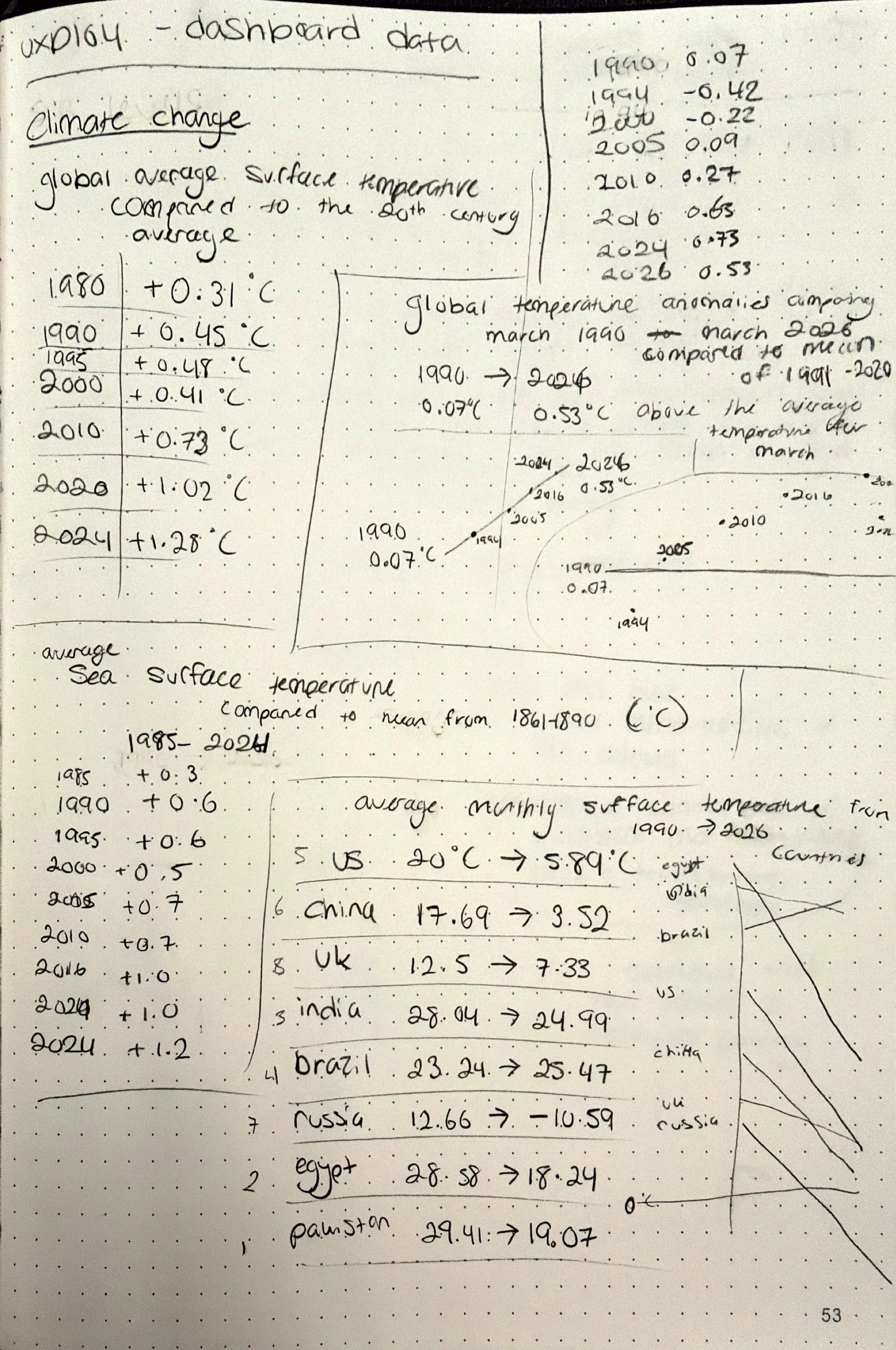
A lot of time for this project was spent on research as it was focused on displaying different data. Once I knew I was going to focus on sustainability I decided that I would have 5 different screens based on different factors that impacted it and a home screen, as the brief stated we needed at least 6 screens. I decided to focus on these 5 factors:
Tree Coverage
Sea Levels
Water Usage
Climate Change
CO2 Emissions
I spent a lot of time finding accurate and up to date sources for the information that I used in my dashboard as I didn’t want to misrepresent any pieces of data, all of these sources can be found on my notion linked at the bottom of the page. I wanted a couple different pieces of data for factor so that the dashboard could provide a user with a wide range of information but in an organised way.
Sketching
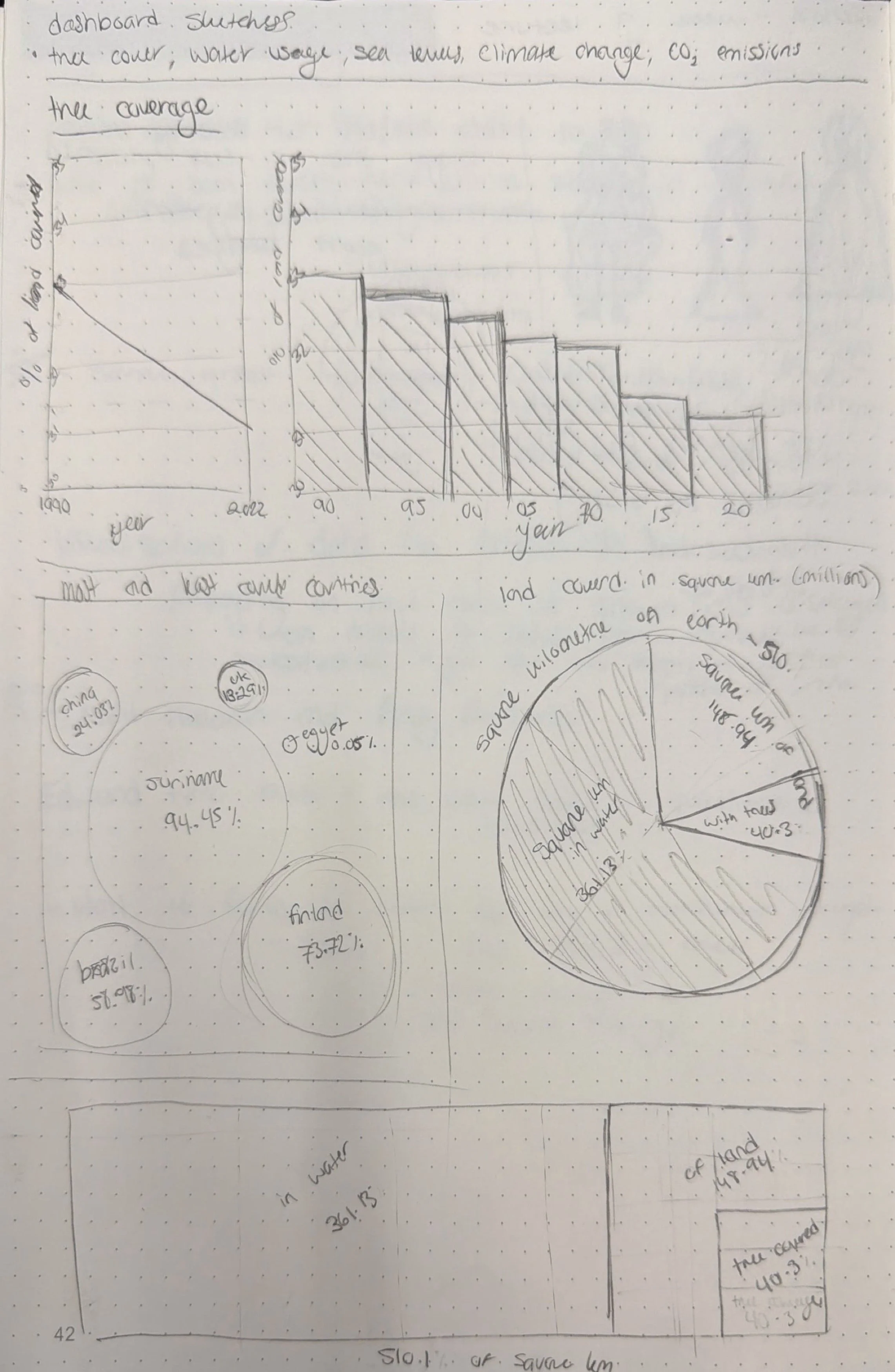
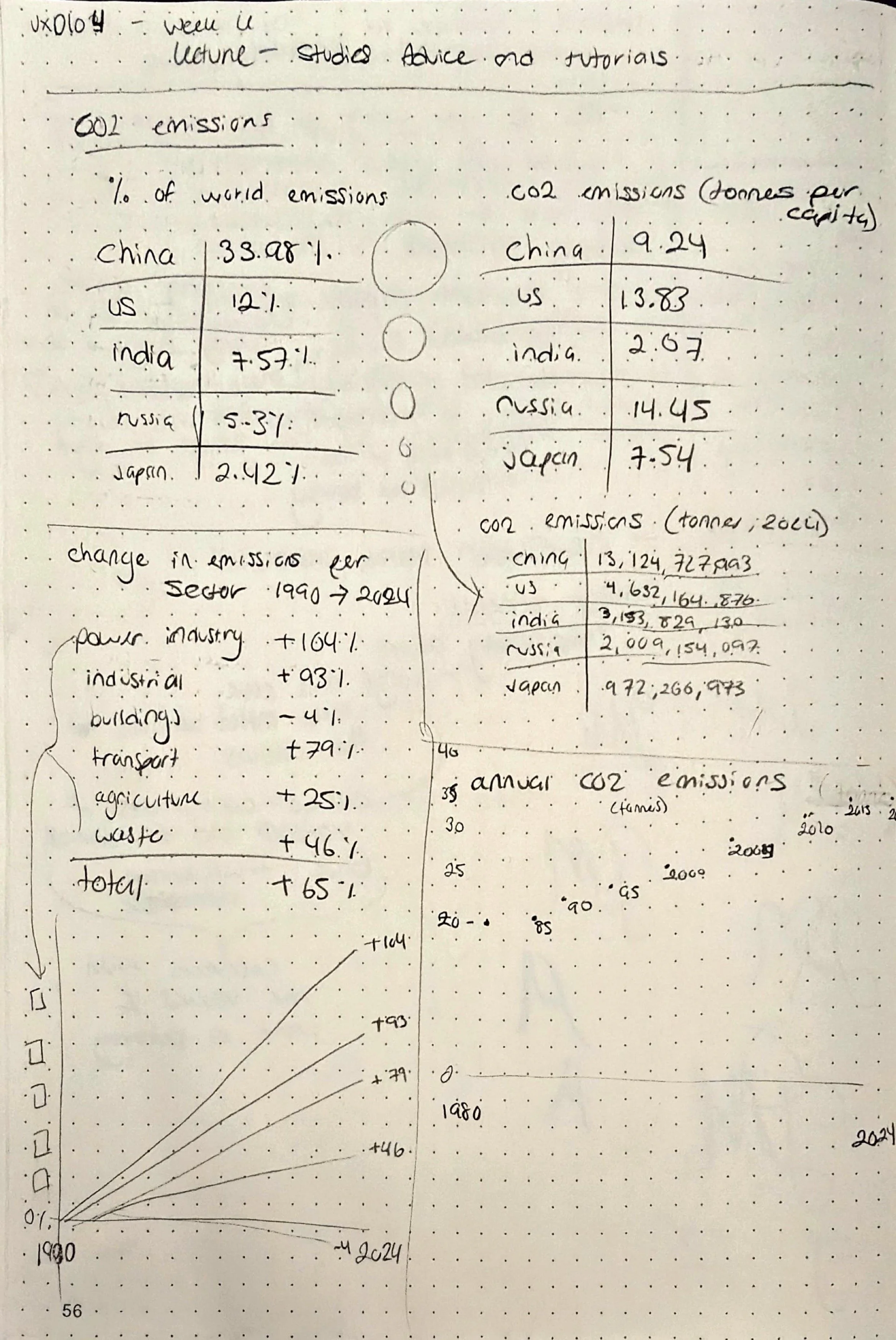
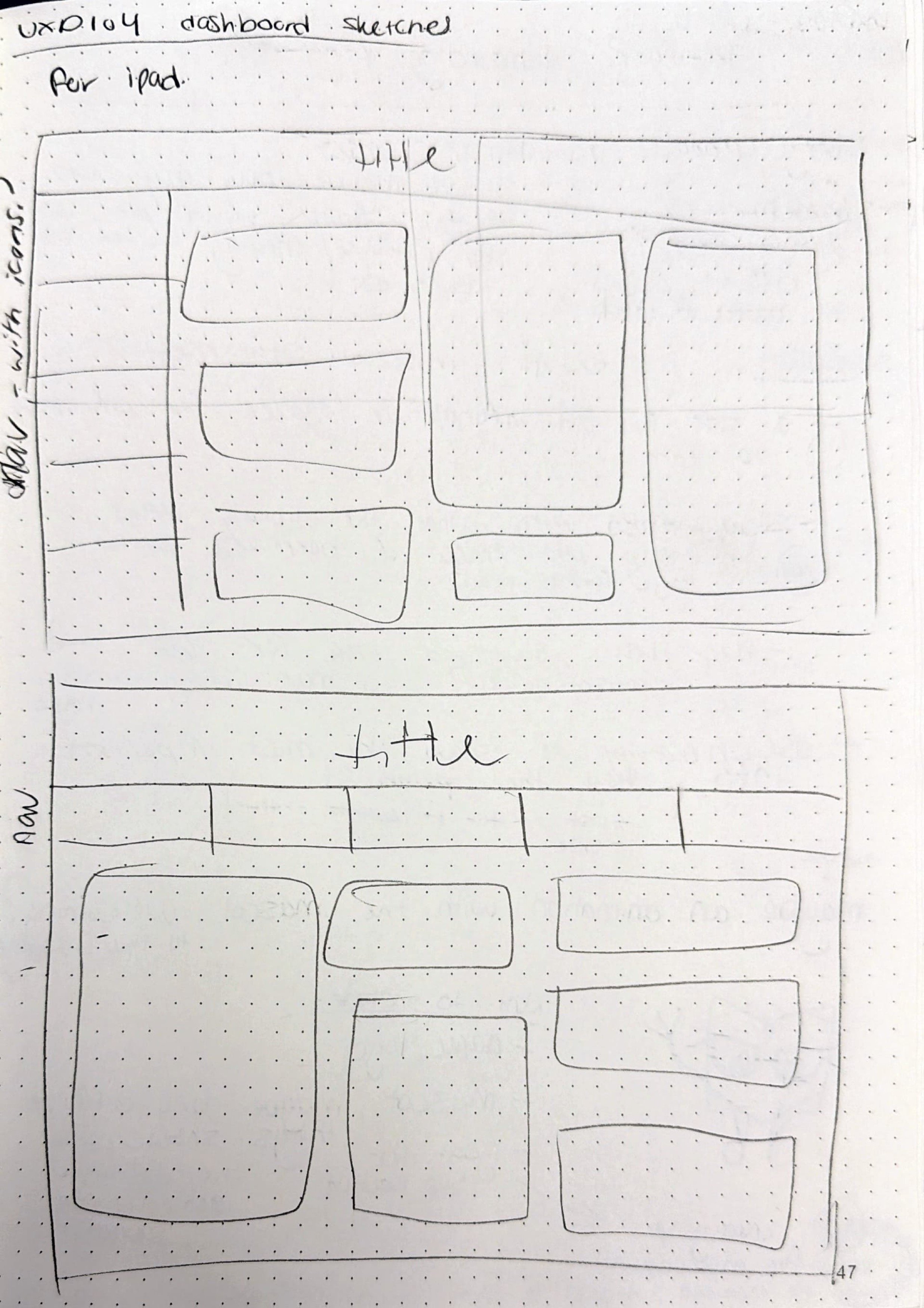
The way that I designed the different charts and graphs used in my dashboard was heavily inspired by the work of David McCandless as I thought he displayed information in a fun and effective way and didn’t make anything too technical within his designs, I was also inspired by his use of colour while creating the dashboard in Figma. For many of the pieces of data that I wanted to display I ended up creating multiple different ideas for designs as I wanted to make sure the design was visually appealing while also being easy to understand. I knew I wanted to keep the UI for the dashboard quite simple as I wanted the focus of the design to be the data so I didn’t create as many sketches for this and the sketched I did create mainly focused on navigation as I knew the different pieces of data would need different sized sections to be easily legiable.
Creating Digital Versions
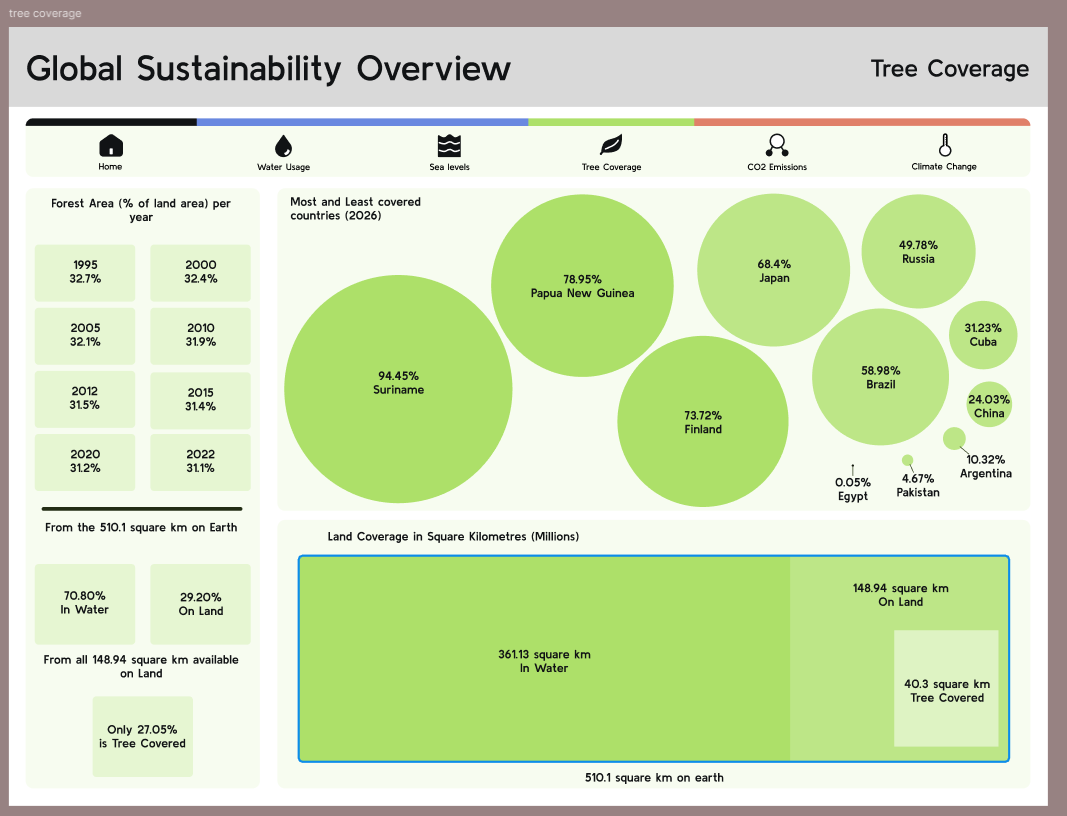
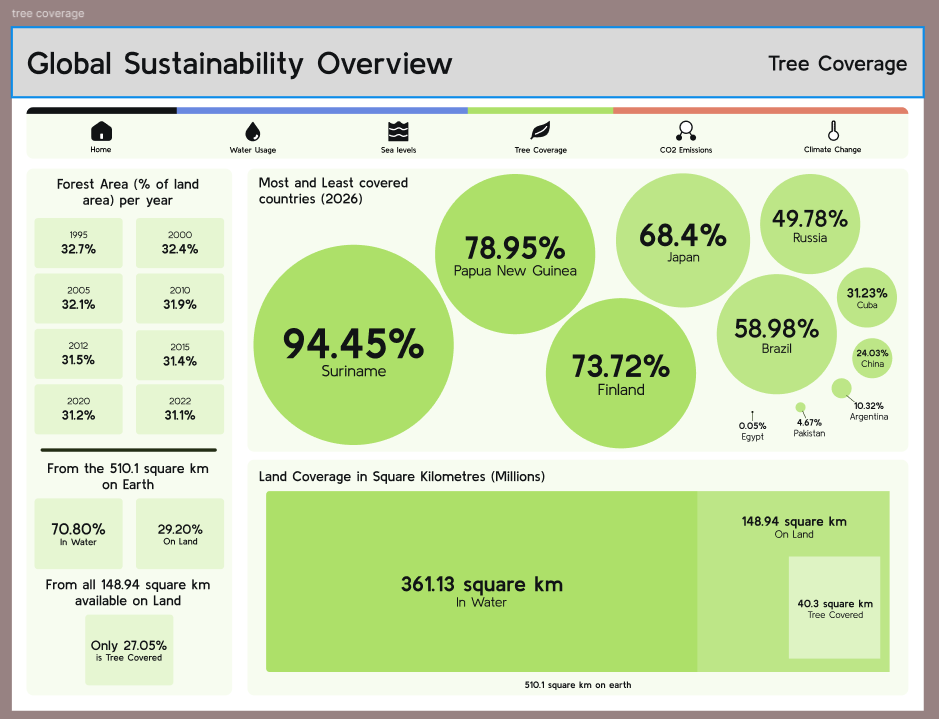
When I started creating the dashboard in Figma I wasn’t complete sure about how I had anything laid out so I created 1 screen to start with, the screen focusing on tree coverage, and I got feedback on this initially before I started the other screens as I didn’t want to carry any design issues across all the screens and then have to change them all later. The main feedback I got for my original design was to add a more clear hierarchy to the information being displayed by adjusting font size and weight. The original version and updated version can be seen below.
Once I had gotten this feedback I was confident enough to create the other screens in the same style.
I also decided to create my own icons for this project as it meant I was able to make them all consistent with the overall style of the dashboard, it also meant I could create more specific icons they might have been difficult to find exactly what I was looking for.
Feedback & Changes
There was a group feedback session for this project, so I got feedback from multiple different perspectives. The feedback I was to up the contrast of some of the colours used as some of them made the text difficult to see, another piece of feedback was to increase some of the text sizes and to add labels onto the navigation to make it clearer what each page was. The main feedback that I got from this was to make the home screen less busy, as many people said it felt too overwhelming and difficult to process the information displayed. I adjusted the colours used to meet the AAA accessibility to ensure the text was easy to read. standards As the home screen was what I struggled most with I also created many different versions of it, all can be seen below.

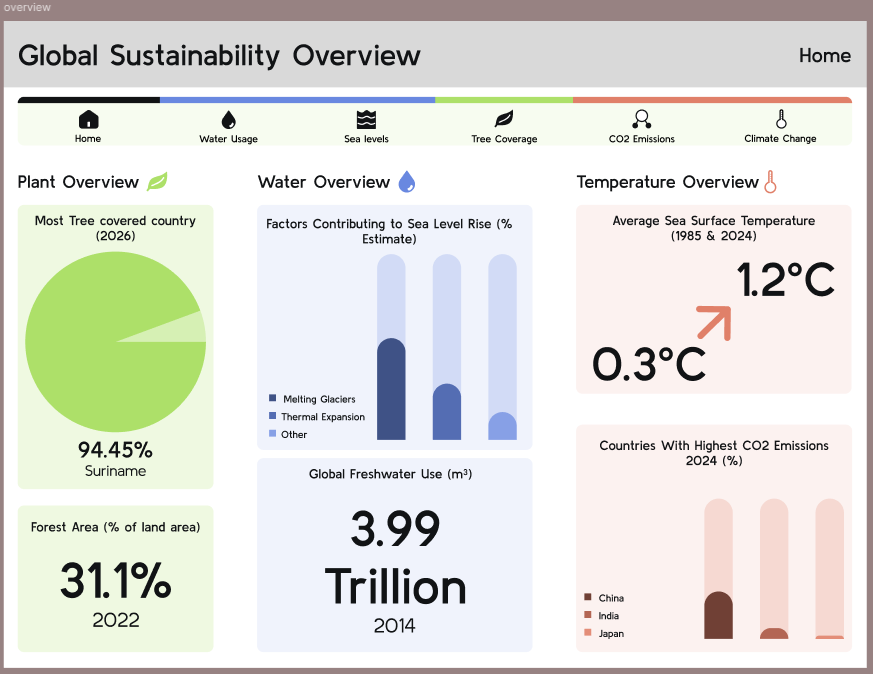
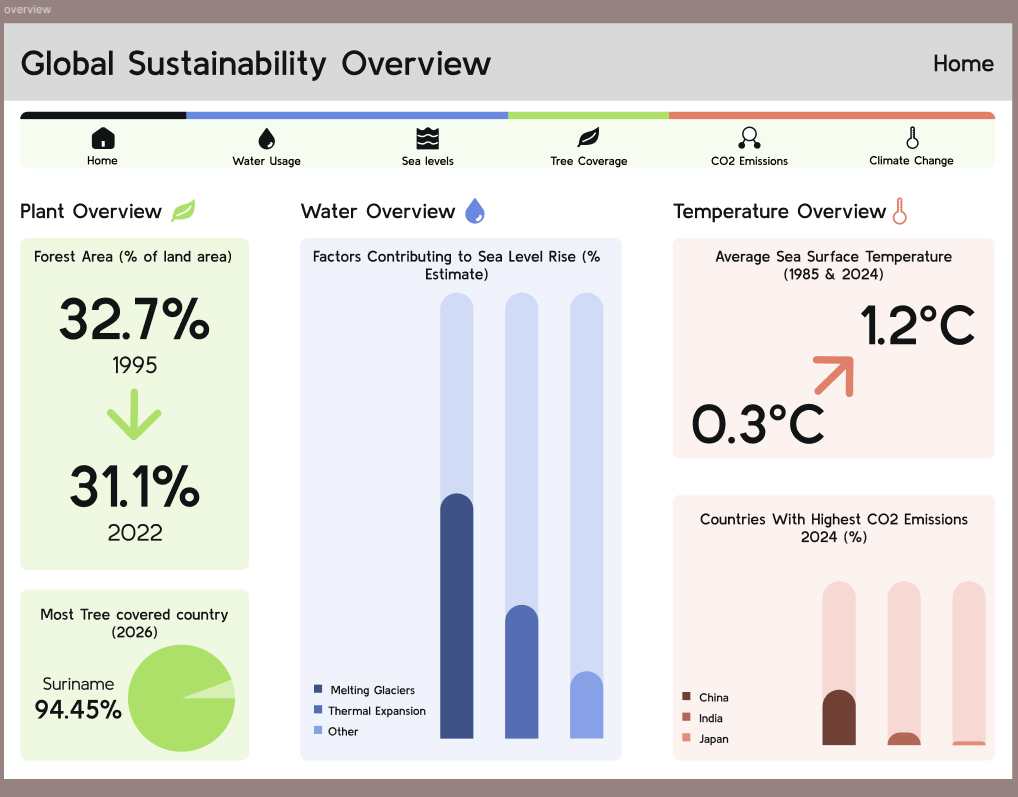
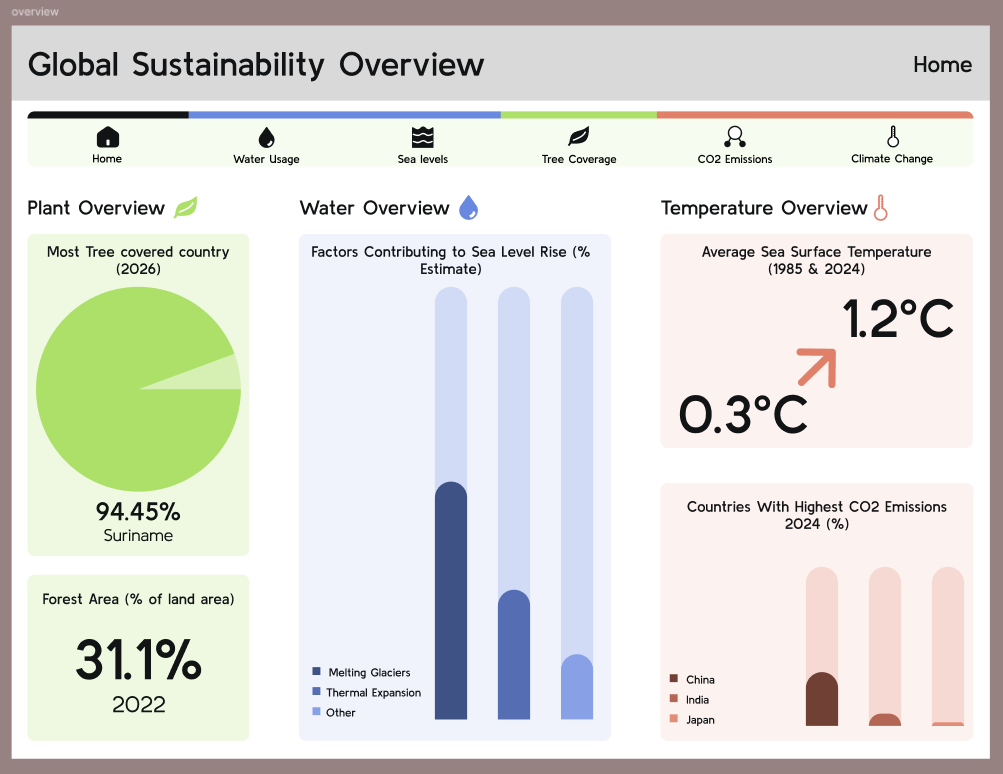
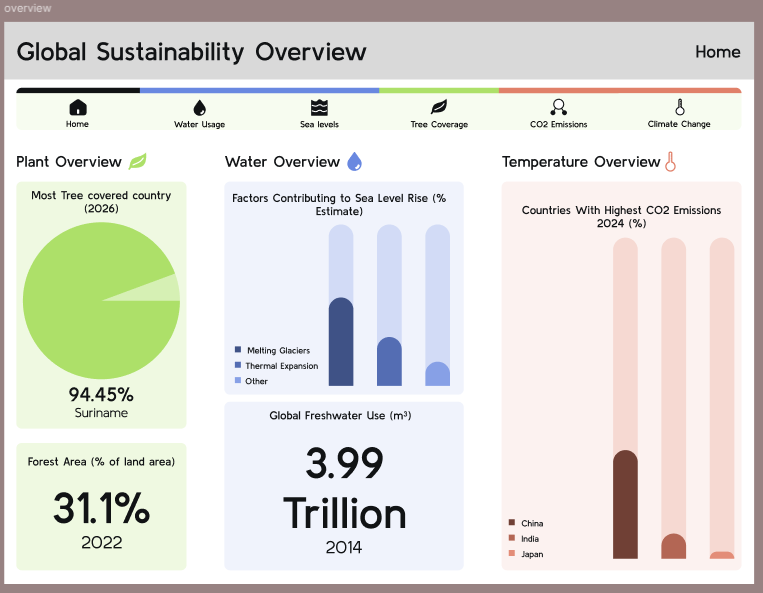
From the feedback I got on these updated versions, they definitely seemed to be more effective than the original home screen design.
Final Outcome
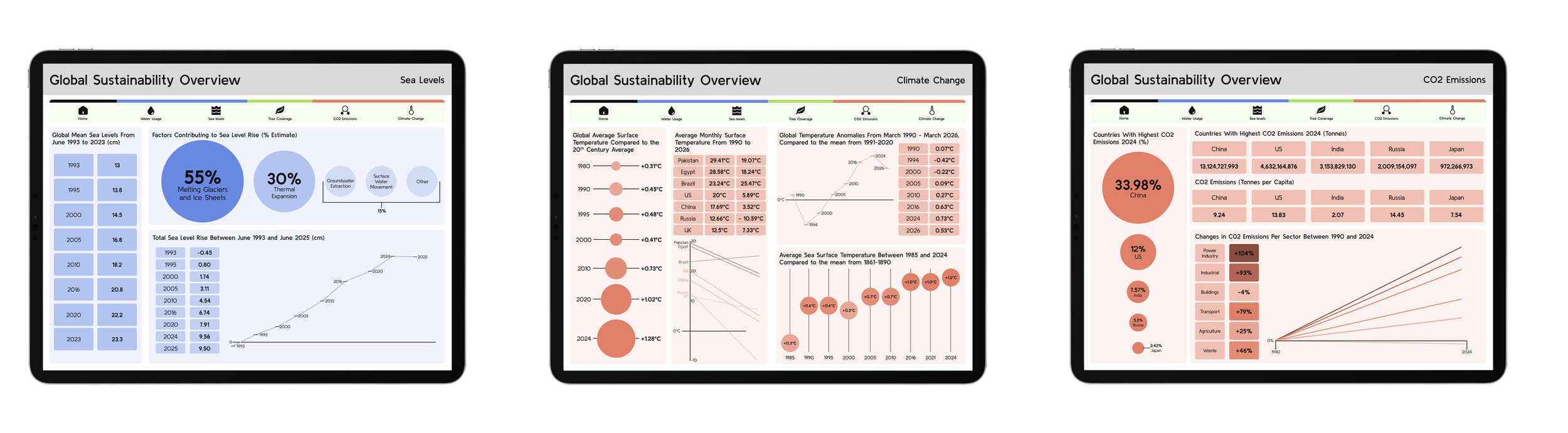
The final outcome for the project was to create a working prototype for the dashboard, which is linked below. If I were to do this project again I think I would try and simplify some of the screens more, as looking back at them some of them do seem quite busy, but overall from the feedback I received throughout this project my designs seemed quite effective at showing the information that I aimed for them to.
Prototypes & Further Reading